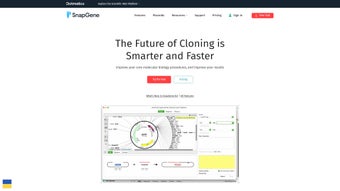

Download SnapGene – free molecular biology software, cloning tool, sequence editor
Overview of SnapGene: A Complete Molecular Biology Solution
SnapGene is a robust, cross‑platform scientific application that has become a staple in laboratories worldwide. Designed specifically for molecular biologists, the software brings together sequence visualization, cloning design, and workflow documentation in a single, intuitive interface. Whether you are planning a simple PCR experiment or a multi‑step recombinant DNA project, SnapGene offers a visual canvas that translates complex nucleotide information into clear, editable maps.
This visual approach reduces the likelihood of errors that often arise from manual calculations or textual annotations. The program automatically logs every change, creating a detailed history that can be exported for publication or shared with collaborators, ensuring reproducibility and transparency. SnapGene supports a broad spectrum of cloning strategies—including traditional restriction enzyme cloning, Gateway® recombination, Gibson assembly, and TA cloning—allowing researchers to select the method that best fits their experimental goals.
In addition to cloning, the tool provides simulation capabilities for restriction digests, PCR, and ligation, enabling users to predict outcomes before committing reagents. This predictive power saves time, reduces waste, and accelerates the decision‑making process in the bench. The user‑friendly layout, combined with powerful back‑end algorithms, makes SnapGene an indispensable companion for graduate students, postdoctoral fellows, and senior scientists alike.
Its seamless integration with other bioinformatics resources, such as GenBank and NCBI databases, further streamlines the workflow, turning raw sequence data into actionable experimental plans within minutes.
Key Features that Make SnapGene Stand Out
- Visual Sequence Editor: Drag‑and‑drop interface for creating and editing plasmids, primers, and fragments with instant visual feedback.
- Cloning Strategy Library: Pre‑built templates for restriction, Gateway, Gibson, In‑Fusion, and TA cloning, each with step‑by‑step guidance.
- Simulation Engine: Predictive models for restriction digests, PCR amplification, and ligation reactions, complete with gel‑image output.
- Automatic Documentation: Real‑time recording of every edit, generating a comprehensive audit trail that can be exported as a PDF or Shareable SnapGene file.
- Database Connectivity: Direct import from NCBI, Ensembl, and custom local databases, ensuring up‑to‑date sequence information.
- Collaboration Tools: Cloud‑based sharing options, version control, and comment threads that facilitate teamwork across institutions.
- Annotation Management: Built‑in tools for adding features, notes, and color‑coded tags to sequences, improving readability and project organization.
- Export Flexibility: Export maps as PNG, PDF, or SVG; generate GenBank, FASTA, and SBOL files for downstream analysis.
- Security & Compliance: Encrypted local storage and optional password protection meet institutional data‑security policies.
- Regular Updates: Free annual updates that incorporate new cloning methods, bug fixes, and performance enhancements.
Installation, Usage, and System Compatibility
Installing SnapGene is straightforward, and the process is designed to accommodate both novice users and seasoned bioinformaticians. After navigating to the official SnapGene website, click the Download button that corresponds to your operating system. The installer is available for macOS (10.13 and later), Windows 10/11 (64‑bit), and Linux distributions (Debian/Ubuntu .deb package).
For macOS users, the application arrives as a .dmg file; double‑click to mount the disk image, then drag the SnapGene icon into the Applications folder. Windows users run the .exe installer, accept the license agreement, and choose a destination folder. Linux users can install via the terminal using sudo dpkg -i snapgene.deb followed by sudo apt-get install -f to resolve dependencies.
Once installed, launch SnapGene and register with an institutional email to unlock the free trial or enter a license key for the full version.
Upon first launch, a welcome wizard guides you through initial configuration: selecting default file locations, setting up cloud sync preferences, and importing any existing plasmid libraries. The main workspace is divided into three panels: the Map View for visual editing, the Sequence View for nucleotide-level details, and the Details Panel for feature annotations. To begin a new cloning project, click File → New → Plasmid, then either draw the backbone manually or import an existing GenBank file. The toolbar offers quick access to restriction enzyme cutters, primer design, and simulation tools. Running a simulation is as simple as selecting the relevant fragments and clicking the Simulate button; results appear as virtual gel images, which can be saved for lab notebooks.
SnapGene is fully compatible with macOS, Windows, and major Linux distributions, ensuring that research teams with mixed‑platform environments can collaborate without compatibility barriers. The software also supports 64‑bit architectures, leveraging modern hardware for faster processing of large genomes and complex assemblies. Minimum system requirements include 4 GB RAM (8 GB recommended), 500 MB of free disk space, and a graphics card capable of OpenGL 2.0 or higher for smooth rendering of plasmid maps. Frequent automatic updates keep the application secure and aligned with the latest cloning protocols, making SnapGene a reliable, long‑term investment for any molecular biology laboratory.
Pros, Cons, and Frequently Asked Questions
Pros
- Intuitive visual interface that reduces learning curve for new users.
- Comprehensive cloning library covering traditional and modern techniques.
- Real‑time documentation ensures reproducibility and easy sharing.
- Cross‑platform support (macOS, Windows, Linux) promotes collaboration.
- Free trial and academic pricing make it accessible for research budgets.
- Regular, free updates keep the software current with emerging methods.
Cons
- Full license required for unlimited project storage; free version limits the number of saved maps.
- Advanced features such as batch processing require a steep learning curve.
- Linux installation may need additional dependency resolution for some distributions.
- Cloud sync is optional and may incur additional institutional IT approval.
Frequently Asked Questions
Is SnapGene free for academic use?
SnapGene offers a free 30‑day trial for all users. Academic institutions can purchase discounted licenses, and many universities provide site licenses that grant unlimited access to students and staff at no additional cost.
Can I import my existing plasmid maps from other software?
Yes. SnapGene supports import of GenBank, FASTA, and SBOL files, allowing seamless migration from tools such as ApE, Vector NTI, or Geneious.
How does SnapGene ensure data security for sensitive projects?
All local files are encrypted, and optional password protection can be applied to individual projects. When using cloud sync, data is transferred via TLS 1.2 encryption, complying with most institutional security policies.
Does SnapGene work with CRISPR design tools?
SnapGene includes a CRISPR guide RNA design module that can locate PAM sites, suggest off‑target scores, and integrate the guides directly into cloning maps for downstream applications.
What kind of technical support is available?
Licensed users receive email support, access to a comprehensive knowledge base, and regular webinars. The community forum is also active, offering peer‑to‑peer assistance for both basic and advanced queries.
Conclusion and Call to Action
SnapGene has earned its reputation as a cornerstone tool for modern molecular biology laboratories. Its blend of visual simplicity, powerful simulation engines, and meticulous record‑keeping addresses the most common pain points faced by researchers: error‑prone manual calculations, fragmented data storage, and limited collaboration across platforms. While the full‑feature license carries a cost, the productivity gains—measured in saved reagents, reduced experimental repeats, and faster project turnaround—often outweigh the investment, especially for institutions with high cloning throughput. For students and early‑career scientists, the free trial and academic discounts provide an excellent entry point to explore the software’s capabilities without financial pressure. Whether you are designing a single‑gene knockout or orchestrating a multi‑gene pathway assembly, SnapGene equips you with the confidence that every step is documented, reproducible, and ready for peer review.
Ready to streamline your cloning workflows and improve data integrity? Download SnapGene now and experience the visual power that thousands of labs worldwide trust for their molecular biology projects.







